

Infostealer: A Digital Threat Silently Lurking, and How to Understand and Counter It
Marketing Midtrans
What is an infostealer?
As the name suggests, an infostealer is a type of dangerous malware designed to steal your sensitive information silently from an infected device. Without you realizing it, important data such as account usernames and passwords for applications or portals (for example, the Merchant Portal), credit card information, and even personal identity data stored on your device can be stolen and misused.
How does an infostealer work?
The way an infostealer works is fairly complex yet structured, so it is important to understand the process to help you stay more alert and know the right preventive steps. An infostealer usually enters a device through channels you are not aware of. Here are a few examples of how infostealers spread and operate:
- phishing email that embeds suspicious links or attachments.
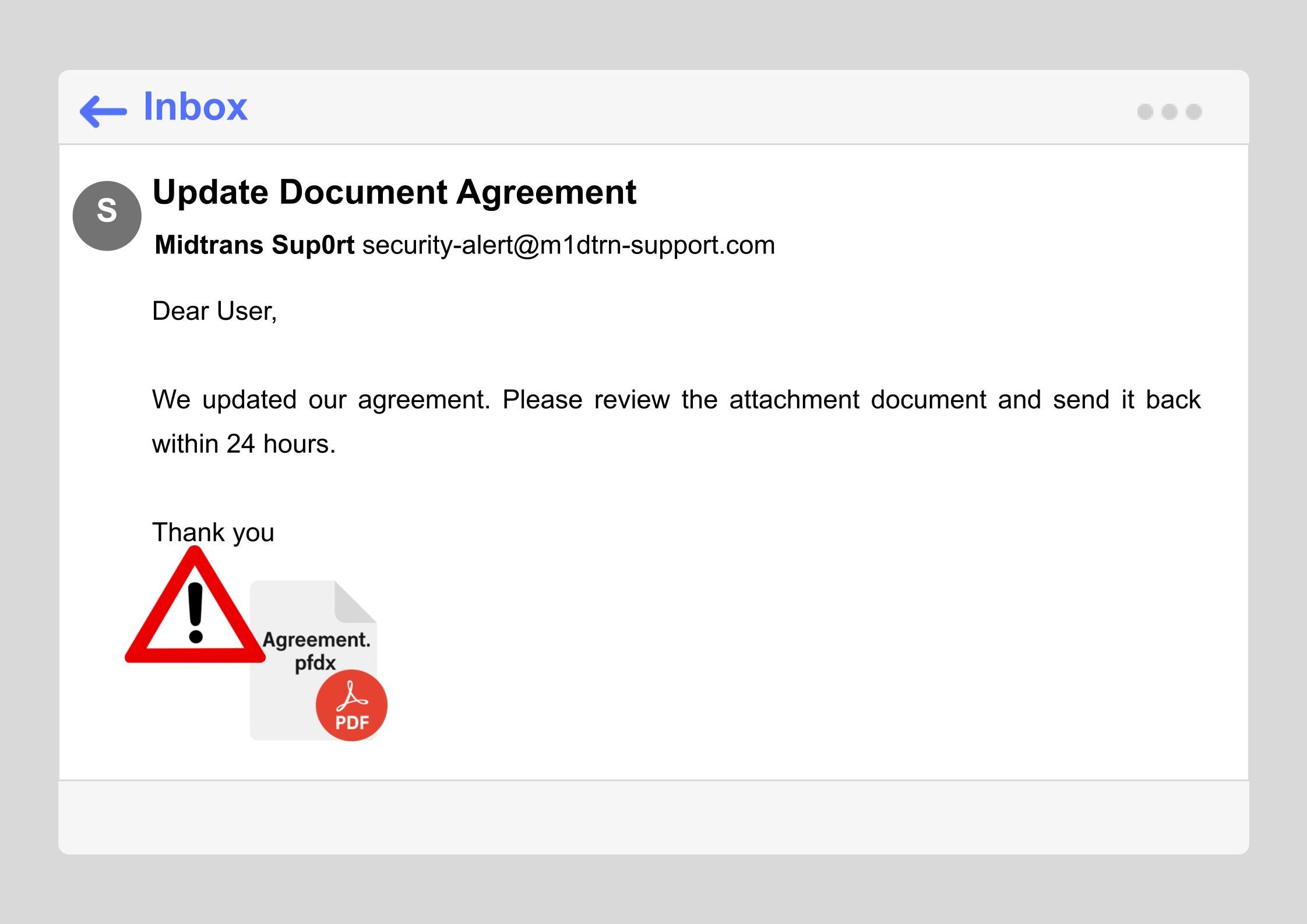
(Example of a phishing email)
- Downloads of unofficial "pirated" software that has been infiltrated with malware.
- fake websites with pop-ups that "force" you to act, aiming to trick you into clicking a link or downloading a malicious file.
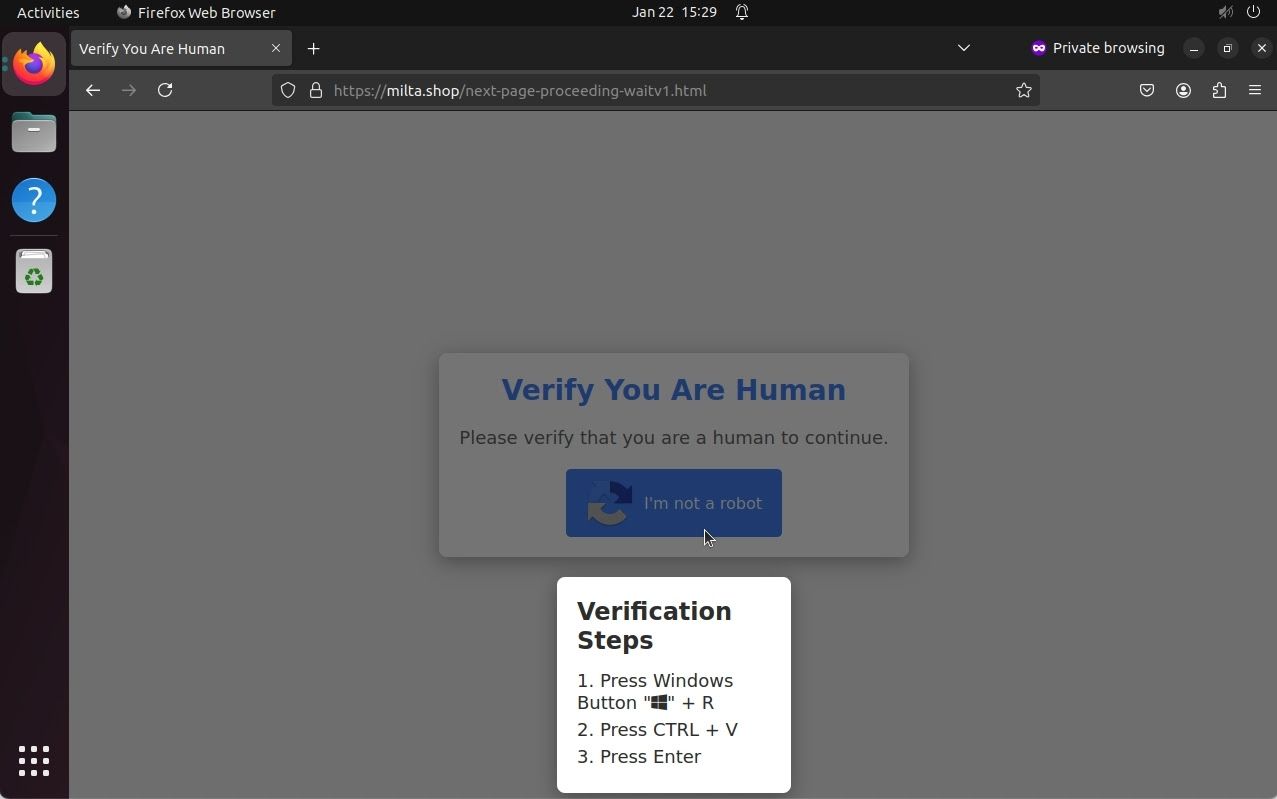
(example of a fake site with captcha verification)
Once inside, the infostealer works behind the scenes by disguising itself as a legitimate-looking file or system process so that antivirus software does not detect it. Some infostealer variants can even hide deep inside the system, making them harder to remove.
Next, the infostealer starts collecting data without your knowledge, using various methods such as recording everything you type, searching through important documents, taking screenshots periodically, and monitoring data going in and out through your internet connection. Once all the information is collected, the data is sent directly to the attacker.
That is why it is important for you to know how to prevent it before this malware has a chance to strike. Here is a guide you can apply right away to keep your data and devices safe every day. Check out the tips below!
- Never click links or open suspicious links
- Always use strong passwords and enable 2FA for every account
- Never download and install software or applications from unofficial sources
- Use endpoint protection such as antivirus
- Always keep the software on all your devices up to date.
Let's protect ourselves and our information. Stay vigilant against ever-evolving digital threats!